
Microsoft 365 Email for Business
Microsoft 365 for UK business, set up on your own domain.
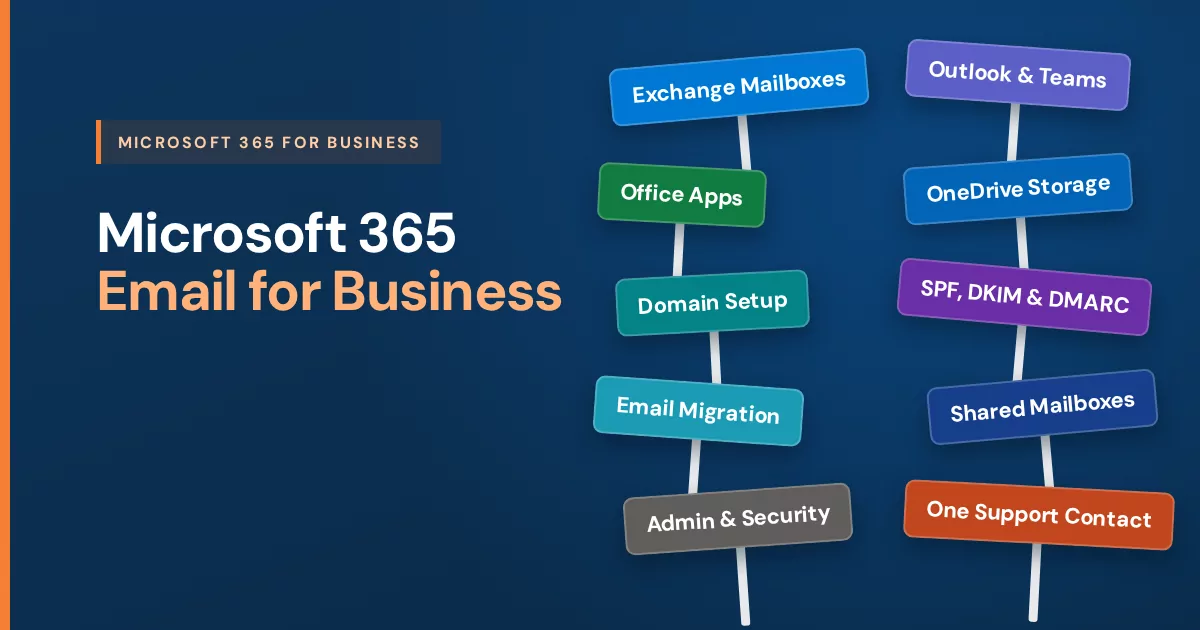
Outlook, Exchange mailboxes, Teams, the Office apps and OneDrive at you@yourcompany.co.uk from £10 per user per month — the tenant built, the domain configured, the old mail migrated, then supported and billed by one UK team.
- Your own tenant, created and configured properly from the start
- Domain and DNS handled, with SPF, DKIM and DMARC set up correctly
- Mailboxes provisioned and licensed, existing mail migrated across
- One support contact and one GBP invoice from TK WebHosts Ltd
- Outlook
- Teams
- Word
- Excel
- PowerPoint
- OneDrive
Get a Microsoft 365 Email for Business Quote
Tell us how many people need accounts and what you run today. You will get a recommended plan and a written quote within 24 hours.
What is included
What Microsoft 365 Email for Business Includes on a Company Domain
Run on your domain rather than on personal accounts, it puts mail, files, meetings and documents on accounts that belong to the business — and stay with the business when someone leaves.
Outlook and Exchange Mailboxes for Microsoft 365 Business Email
Full Exchange mailboxes at you@yourcompany.co.uk, used through Outlook on the desktop, phone or browser, with shared mailboxes for role addresses.
Microsoft Teams
Chat, calls and meetings in one place, with channels per project and joining links carried in the calendar invitation.
The Office apps
Word, Excel, PowerPoint and Outlook — in the browser on the Online plan, installed on devices on the plans that include them.
OneDrive storage
Business file storage that syncs across each person's devices, so work lives off the laptop and stays reachable.
Shared calendars and contacts
Exchange calendars, shared availability and a company address book, so scheduling stops living in one person's head.
An admin centre
One place to add users, reset passwords and set security and device policies. We configure it, then run it or hand it over.
Plans and pricing
Microsoft 365 Email for Business Plans and Pricing
Straight monthly pricing in GBP from our live catalogue, with no promotional rate and no renewal step-up. Choose a managed plan for the Office apps, Teams and OneDrive, or an email-only plan below if people just need a mailbox.
Managed Microsoft 365 Email and Office Apps for Business
The Office apps, Teams and OneDrive, set up and run for you.
Managed Microsoft 365 Online
The Office apps in the browser.
£18 /mo
or £198 per year, per user
- Online Outlook
- Online Word and Excel
- Online PowerPoint
- Online OneNote
Managed Microsoft 365 Standard Desktop
Office installed on the devices your team works on.
£25 /mo
or £275 per year, per user
- Desktop Outlook and Word
- Desktop Excel and PowerPoint
- Desktop OneNote
- Access on PC
Managed Microsoft 365 Professional
Desktop apps plus security and device controls.
£35 /mo
or £385 per year, per user
- Everything in Standard Desktop
- Advanced identity and access management
- Enhanced protection against viruses and phishing
- Enterprise-grade device and endpoint protection
- Sensitive-information discovery, classification and protection
Email-Only Microsoft 365 for Business
Exchange Online mailboxes on your domain, without the Office apps.
Microsoft 365 Outlook Only
Business email, nothing more.
£10 /mo
or £110 per year, per user
- Exchange mailbox at your domain
- 50 GB mailbox
- Outlook
- Entry tier for people who just need business email
Microsoft 365 Outlook Plus
Business email with room to keep everything.
£14 /mo
or £154 per year, per user
- Everything in Outlook Only
- 100 GB mailbox
- Auto-expanding archive, up to 1.5 TB
- Built-in data loss prevention
- Litigation hold for keeping mail
Prices are per user per month in GBP as billed through our client portal, with no VAT added. Microsoft 365 is supplied, provisioned, supported and invoiced by TK WebHosts Ltd — there is no separate bill to manage elsewhere. Annual plans are paid upfront and can be cancelled for a refund within 3 days of purchase. Setup and migration are scoped and quoted in writing before any work starts.
Why buy it through us
Microsoft 365 Email for Business Setup: Where Self-Serve Goes Wrong
Anyone can buy seats. What decides whether the switch is quiet or painful is the tenant, the domain, the DNS, the migration — and whether there is someone accountable the week afterwards.
Your tenant, built properly
We create the tenant, verify your domain against it, and set sharing, security and admin policies to match how your organisation actually works.
Domain, DNS and Authentication for Microsoft 365 Business Email
Mail records pointed correctly and SPF, DKIM and DMARC configured. Authentication is our speciality and the step self-serve setups skip most often.
See our deliverability work →Microsoft 365 Business Email Mailboxes Provisioned for Each User
Accounts created and licensed, shared mailboxes and aliases for info@ and accounts@, and permissions set so the right people see the right mail.
Email Migration to Microsoft 365 for Business
Mail, folders, contacts and calendars moved from whatever you run now, checked once they land, and cut over at a time that suits your week.
One UK support contact
When something stops working you message us on +44 20 3877 7555. We already know your tenant, domain and DNS, because we configured them.
One GBP invoice
Microsoft 365 is supplied and billed by us alongside your domain, hosting and anything else we run, quoted in writing beforehand.
How it works
How Microsoft 365 Email for Business Onboarding Runs
Business Email Needs for Microsoft 365 Assessed
Headcount, whether you need the installed apps, and which addresses have to keep working. We recommend a plan and quote it in writing within 24 hours.
Microsoft 365 Tenant and Business Email Configured for the Domain
Tenant created, your domain added and verified, DNS and authentication records written, then mailboxes and shared addresses provisioned and licensed.
Mail Migrated and Handed Over
Old mail, contacts and calendars moved and verified, Outlook and phones connected, and a short written handover of what changed.
Choosing well
Is Microsoft 365 Email for Business the Right Fit?
It is the obvious answer for some teams and an expensive habit for others. We would rather say so before you buy twenty seats.
Choose Microsoft 365 Email for Business If
Outlook, Excel, Teams or the installed Office apps are part of how the work gets done — common where documents travel to larger organisations and the formatting has to survive the trip.
Get a quoteMix the plans if
Some people live in email all day and others barely open it. Licensing everyone at the top tier is the most common way UK businesses overspend on this, and it is avoidable.
Think again if
You only need professional mailboxes on your domain and nobody will touch the productivity suite. Say so and we will price the simpler route instead of the bigger one.
Tell us the headcount and what people actually open each day, and we will recommend a plan mix in writing before anything is ordered.
Questions
Microsoft 365 Email for Business FAQs
Is Microsoft 365 resold through TK WebHosts?
Yes. Microsoft 365 through us is a resold service. We create and configure the tenant, provision and licence the mailboxes, support the setup afterwards, and bill you for it alongside your other services.
Do we contract with Microsoft directly?
No. Your agreement and your invoice are with TK WebHosts Ltd. There is no separate account to manage elsewhere and no portal to argue with when something needs fixing.
Can we get Microsoft 365 for business in the UK through you?
Yes. We supply Microsoft 365 to businesses in the UK of any size, from a single mailbox to a whole team, and invoice it in GBP from TK WebHosts Ltd, with no VAT added. Each organisation gets its own Microsoft 365 tenant, which we create, connect to your domain and configure, including the DNS records that help your email reach inboxes rather than spam folders. We then provision the mailboxes, move your existing email across and stay on as your support contact, so you message one team instead of joining a Microsoft support queue. You can mix plans within one organisation, for example Standard Desktop for staff who work in Word and Excel all day and Outlook Only for people who mainly need email. Licences are added as you hire and removed when someone leaves. Tell us your headcount and what you use today, and we will recommend a plan mix in writing within 24 hours.
How much does Microsoft 365 for business cost?
Through us, Microsoft 365 for business costs from £10 per user per month for an Outlook Only mailbox up to £35 for Managed Professional, in GBP with no VAT added. The managed plans are Online at £18, Standard Desktop at £25 and Professional at £35; the email-only plans are Outlook Only at £10 and Outlook Plus at £14. Every plan can also be paid yearly at 11 times the monthly price, so a year of Standard Desktop is £275 per user rather than twelve monthly payments. Annual plans can be cancelled for a refund within 3 days of purchase. The price covers the licence, the tenant and domain setup, and ongoing support from us, and there is no separate Microsoft bill. Migration from an existing email system is scoped separately and quoted in writing before work starts, because the effort depends on how many mailboxes you have and where they live today.
How much is Microsoft 365 Business Standard in the UK?
Business Standard is the Microsoft licence behind our Managed Microsoft 365 Standard Desktop plan, which costs £25 per user per month or £275 per user per year, with no VAT added. It includes the installed desktop versions of Outlook, Word, Excel, PowerPoint and OneNote, Access on Windows PCs, Teams for meetings and webinars, and 1 TB of OneDrive storage per user. Buying the licence on its own from Microsoft costs less, but that price covers the licence only: you would create the tenant, verify the domain, set up DNS and email authentication, and move your mail yourself. Our price includes that setup and a team to message afterwards. If only some of your staff need the installed apps, you can put the rest on Online at £18 or Outlook Only at £10 to keep the total down.
Is Microsoft 365 for business free?
No. There is no free Microsoft 365 business plan with email on your own domain. Microsoft offers free web versions of Word, Excel and PowerPoint for personal Microsoft accounts, but those do not include a business mailbox, admin controls or company-owned accounts that stay with the business when someone leaves. Microsoft sometimes runs a one-month trial on its own website, which then turns into a paid subscription. Registered charities and nonprofits may qualify for Microsoft's nonprofit pricing; tell us your status and we will check it for you. Through us, the lowest-cost route is Outlook Only at £10 per user per month, which gives each person a 50 GB Exchange mailbox at your domain. If some addresses are only role inboxes such as info@ or accounts@, shared mailboxes need no licence of their own, which can lower the cost further.
How do we download Microsoft 365 for business?
Once your account is set up, each person signs in at microsoft365.com with their work email address and chooses Install apps to download the desktop versions of Outlook, Word, Excel, PowerPoint and OneNote for Windows or Mac. Each licensed user can install them on up to five PCs or Macs, five tablets and five phones. The installed desktop apps come with Standard Desktop and Professional. Online works in the browser and in the mobile apps, and Outlook Only and Outlook Plus use Outlook on the web and the Outlook mobile app. On phones and tablets, the apps come from the App Store or Google Play and sign in with the same work address. If your team has not installed them before, we can walk each person through it or set the apps up on new devices during onboarding, so nobody is left with a copy asking to be activated.
How do we log in to Microsoft 365 for business?
Go to microsoft365.com and sign in with your work email address, such as you@yourcompany.co.uk, and the password we gave you during setup. The first time you sign in, Microsoft asks you to choose a new password and add a second sign-in step, usually the Microsoft Authenticator app on your phone, which protects the account if a password ever leaks. Email is also available at outlook.office.com, and the installed Outlook app signs in with the same details. Administrators manage users and licences at admin.microsoft.com. If someone is locked out or forgets their password, message us and we will reset it for you. Only sign in on genuine Microsoft addresses ending in microsoft.com, microsoft365.com, office.com or microsoftonline.com, and never through a link in an unexpected email.
What is Microsoft 365 Business Professional?
Business Professional is not one of Microsoft's own plan names. Microsoft sells three business suites, Business Basic, Business Standard and Business Premium, plus Apps for business without email. Some resellers use the name Business Professional for a plan equivalent to Business Standard, with the installed desktop apps. Our Managed Microsoft 365 Professional plan is different: it is built on Business Premium, which adds advanced identity and access controls, stronger protection against phishing and malware, device management and protection for sensitive information on top of everything in Business Standard. It costs £35 per user per month or £385 per user per year. If what you need is the desktop apps without the extra security tools, Standard Desktop at £25 is the closer match. Tell us how your team works and we will confirm which fits before you order.
Which Microsoft 365 plan should we choose?
The five plans differ on whether you get a mailbox only, a larger mailbox with archiving, the Office apps in the browser, the apps installed on the desktop, or the desktop apps with added security and device controls. Tell us how the team actually works and we will match one to it and explain the choice in writing.
Do we get the installed Office apps or only the web versions?
That depends on the plan. Managed Microsoft 365 Online gives you the browser versions. Standard Desktop and Professional include Word, Excel, PowerPoint and Outlook installed on the device. We ask how your team works before recommending one.
Can you migrate our existing email into Microsoft 365?
Yes. Mail, folders, contacts and calendars move across from your current provider, we verify what arrived, and the switchover is timed with you rather than sprung on the team on a Monday morning.
Can we mix Microsoft 365 with other mailbox types on the same domain?
Yes, and it is a common setup: licensed accounts for the people who live in email, and lighter mailboxes or forwarders for role addresses such as info@ and accounts@. Mixing types on one domain means the mail routing and DNS have to be planned deliberately, which is exactly the part we handle.
Will our email be authenticated properly?
Yes. Every domain we set up gets SPF, DKIM and DMARC configured. No one can honestly guarantee where a message lands, but correct authentication is where deliverability starts — and it is our speciality.
Can we add or remove users later?
Yes. Licences are added as you hire and removed when someone leaves. Tell us and we make the change, including preserving a departing person's mailbox and files where you need them kept.
How long does setup take?
A new tenant on a domain we already manage is usually usable the same day. Migrations are scheduled with you and most complete within a few days once the DNS changes have propagated.
What happens if we want to move away later?
The domain and the addresses are yours. Moving to another mail platform is a migration rather than a rebuild, and we document what we changed so any provider can pick it up from our notes.
Get Microsoft 365 Email for Business Running Without Tenant Guesswork
Tell us how many accounts you need and what you run today. You will get a recommended plan and a written GBP quote within 24 hours.
Request a Written Quote